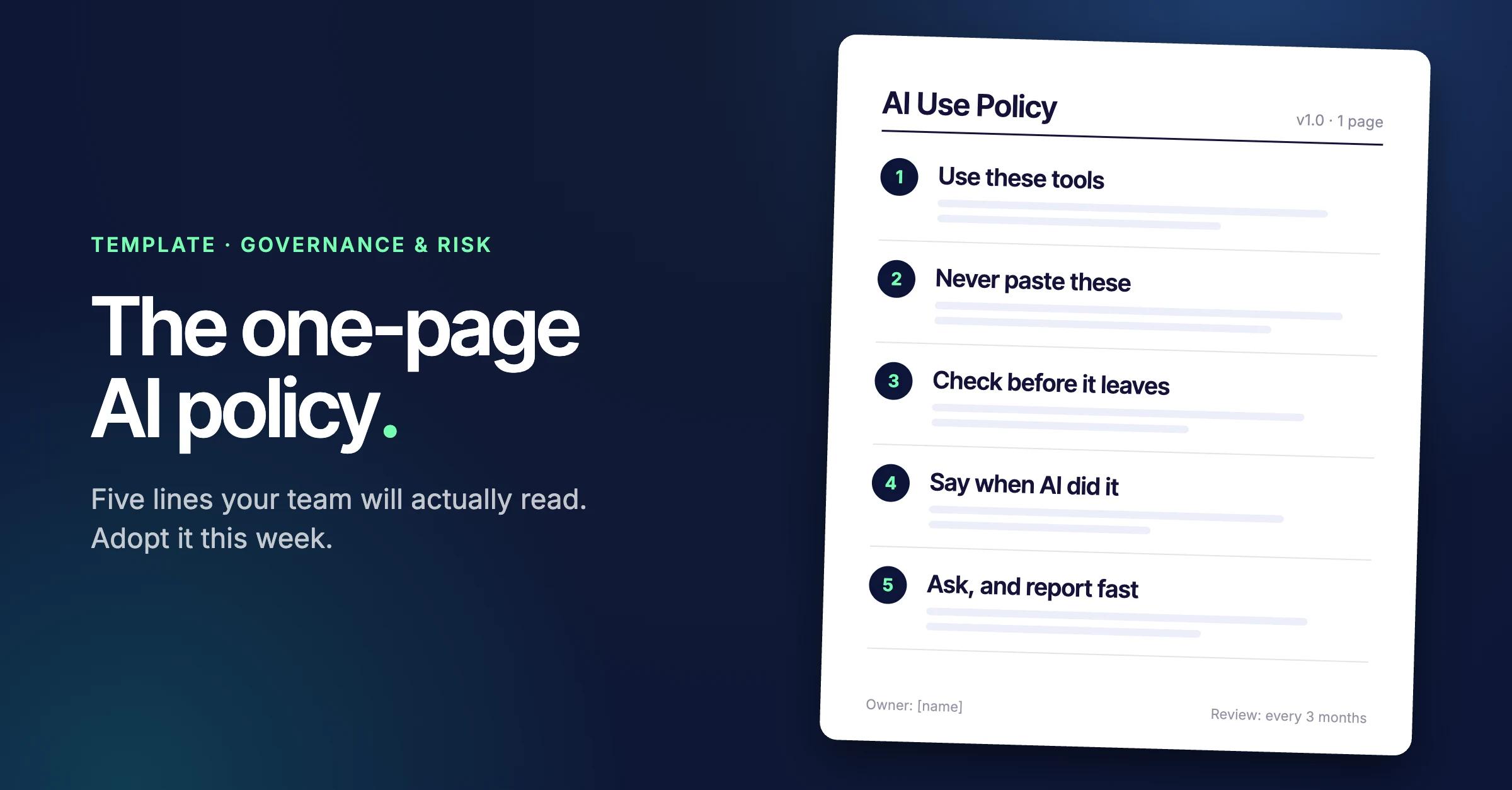

The short answer: an AI policy that works fits on one page and answers the five things staff need to know at the moment they open an AI tool: which tools to use, what never to paste in, what to check before sending, when to say AI did it, and who to ask. We call it Intersect's Five-Line AI Policy. The template is below, written with UAE businesses in mind, and you can have it live by Friday.
Most companies with an AI policy think the problem is solved. Their staff disagree. In Okta's AI Agents at Work 2026 survey, 65% of executives said their AI usage policies were very clear, while 57% of knowledge workers said theirs were unclear, hard to find or didn't exist (Okta, May 2026).
The gap shows up in what people do. Two-thirds of office professionals in PagerDuty's 2026 survey had used AI tools at work that they believed weren't allowed, and 34% had put customer data into public AI tools (PagerDuty, June 2026).
So the obvious fix, a longer and stricter policy, makes it worse. People rarely break AI rules because the rules are soft. They break them because they've never read them, and because the free tool in the next tab is faster than asking.
Why do most AI policies fail?
They're written for the legal file, not for the person about to press paste. A 30-page policy covers bias, model risk, procurement and intellectual property, then sits on the intranet. The decision staff make dozens of times a day, whether this text can go into this tool, is buried on page 17.
Seniority doesn't fix it. In summer 2025 the acting director of CISA, the US government's civilian cyber defence agency, uploaded contracting documents marked "for official use only" into a public version of ChatGPT, setting off automated security alerts (TechRepublic, citing Politico, January 2026). His department already had an approved tool, DHSChat, built to keep data on federal networks. He'd been given an exception to use ChatGPT instead.
Accounts are the other blind spot. In BlackFog's survey of 2,000 UK and US employees, 34% said they used free versions of AI tools their company had approved (BlackFog, January 2026). Same logo, different deal: a personal account doesn't come with the data terms your company signed up for.
A policy works when it's short enough to remember and specific enough to settle the paste decision on the spot. That's the whole design brief for the one-pager.
What goes on a one-page AI policy?
Five lines, each answering a question staff actually have. This is Intersect's Five-Line AI Policy:
- Use these tools: The approved list, and the rule that it means the company account, not a personal one.
- Never paste these: A short list of data that never goes into any AI tool, written in your business's own terms.
- Check before it leaves: You own what you send, and a person signs off anything external or any decision about a person.
- Say when AI did it: Disclosure to managers and clients, recording meetings, and never imitating a real person.
- Ask, and report fast: One named owner, one channel, and no punishment for owning up to a mistake quickly.
Everything else, from vendor due diligence to rules for AI agents, belongs in the longer policy that sits behind it. The one-pager is the part people remember when it counts.
The template. Copy the template below and swap the parts in square brackets for your own details.
[Company name] AI Use Policy
Version 1.0 · Effective [date] · Owner: [name, role] · Next review: [date + 3 months]
We want you to use AI at work. This page tells you how to do it without putting clients, colleagues or the company at risk. It takes two minutes to read. If something isn't covered, ask before you paste.
1. Use these tools
- Approved for work: [e.g. ChatGPT Business, Claude Team, Microsoft 365 Copilot]. Always signed in with your company account.
- Not approved for work: personal or free accounts, even of the same tools, and any AI tool not listed above.
- Browser extensions, AI note-takers, AI agents and anything that connects AI to email, calendars, files or company systems need approval from [owner] first.
- Want a new tool? Ask [owner]. You'll get an answer within [5] working days.
2. Never paste these into any AI tool
- Passport, Emirates ID, visa and other ID numbers, and bank or card details
- Passwords, API keys and access codes
- Customers' personal details, including forwarded WhatsApp chats [unless the tool is listed here: approved system]
- Salaries, payroll, medical and performance records
- Anything a client has marked confidential or shared under an NDA
- Unannounced results, deal terms and pricing negotiations
Fine in approved tools: your own drafts, internal documents and notes with personal details removed, and anything already public. Not sure? Treat it as on the never list and ask.
3. Check it before it leaves your desk
- You own everything you send, whether AI drafted it or you did.
- Check every fact, figure, name, quote and link against the source. AI makes things up and sounds certain doing it.
- A person reviews and approves anything going to a client, a regulator or the public.
- AI never makes decisions about people, such as hiring, pay, performance or discipline. It can help prepare; a manager decides.
4. Say when AI did it
- Tell your manager, and the client where their contract asks for it, when AI produced a substantial part of the work.
- Tell everyone in a meeting before you record or transcribe it with AI.
- Never use AI to imitate a real person's voice, face or writing, or to pass yourself off as someone else.
5. Ask, and report mistakes fast
- Questions go to [owner] or [#ai-questions channel].
- Pasted something you shouldn't have? Tell [owner or IT] within [24 hours]. Reporting a mistake early is never a disciplinary matter.
- Deliberately breaking this policy is handled under [disciplinary policy].
This page sits on top of our [information security and data protection policies]. Where they differ, those policies apply.
How do you fill in the template?
Most of it works as written. Four choices need thought, and they're where the policy succeeds or fails.
Name the plan, not just the product
"ChatGPT" covers a free personal account and an enterprise contract, and they handle your data differently. List the exact plan, and before you do, check each business account's settings: whether your data is used for training, how long chats are kept, and who the admin is. Give new-tool requests a deadline. If asking takes three weeks, people stop asking.
Keep the never list short enough to remember
Six items is about the limit. Write them in your business's own words: a Dubai property brokerage should say "Emirates ID copies and tenancy contracts", not "personally identifiable information". The last line, "not sure, treat it as on the list", does more work than any item above it.
Put the human sign-off where it matters
Line three draws the line at two things: anything leaving the building, and any decision about a person. That's where AI mistakes cost the most and where regulators look first. Internal drafts don't need a second pair of eyes; a client report does.
Make owning up cheaper than hiding it
The amnesty sentence in line five is the most important in the document. If pasting the wrong file gets someone disciplined, the first leak is the one you never hear about. Reporting within a day gives IT a chance to delete the chat and check what else went with it.
How do you adopt an AI policy in a week?
Treat it as a five-day job with one owner. This is the week we'd run with a client.
- Monday: Ask the team which AI tools they actually use, anonymously. Check the settings on any business accounts you already pay for. (Policy owner, IT)
- Tuesday: Fill in lines one and two: the approved tools and the never list. (Owner, data protection lead)
- Wednesday: Name the owner and set up the questions channel. Agree the request turnaround. (Owner, leadership)
- Thursday: Check it against your existing security, data and disciplinary policies. Translate it into Arabic if your team works in both languages. (Legal or HR)
- Friday: Send it, pin it in Teams or Slack, and walk the team through it in 15 minutes. Keep a record of who received it. (Owner, team leads)
Then put a date in the diary 30 days out. Ask what the policy didn't cover, which tools people still want, and whether anyone reported a mistake. If nobody has, that's usually a sign they didn't feel safe to.
Does a one-page AI policy meet UAE and EU rules?
It's a start, not a compliance programme, and it's the cheapest evidence you have that staff were given guidance. Where your obligations sit depends on where you're licensed and who you serve.
On the UAE mainland, the federal Personal Data Protection Law has been in force since January 2022, though its implementing regulations still hadn't been issued as of June 2026. That month the UAE set up a Federal Authority for Artificial Intelligence and Data, which is expected to take them forward (Morgan Lewis, June 2026). The law already applies; the detail is what's still coming.
In the DIFC, Regulation 10 covers personal data processed by autonomous and semi-autonomous systems, and has been fully enforced since January 2026 (Vanta). Firms doing high-risk processing need an Autonomous Systems Officer (Mayer Brown, January 2026). A staff policy doesn't cover that.
If you have staff or customers in the EU, the AI Act's AI literacy duty has applied since February 2025, and national regulators gained the power to enforce it in August 2026. The AI Office has said enforcement is more likely where an incident comes down to a lack of training or guidance (Crowell, May 2026). A dated policy that staff have received is part of that record.
This isn't legal advice. Have a qualified lawyer read your version before it goes out, particularly if you're in the DIFC, ADGM or a regulated sector.
When isn't one page enough?
The one-pager governs people using AI tools. It doesn't govern AI systems you build, and it fails in four situations.
- You're deploying agents or automations. An agent connected to your CRM or finance system needs its own access rules, logging and human approval steps, and in the DIFC it may fall under Regulation 10. We covered why agent permissions matter in the five biggest AI fails of 2026.
- You're in a regulated sector. Banks, insurers and healthcare providers answer to regulators who expect a full policy, risk register and training records. The one-pager sits in front of those; it doesn't replace them.
- You haven't approved any tools. A policy that bans personal accounts without offering a business one just moves the activity somewhere you can't see it. Pay for the tools first, then write line one.
- Nobody owns it. Tools and pricing change every few months. A policy nobody reviews is out of date by its second quarter, and staff notice.
What to do next
Copy the template, put your company's name on it and book 30 minutes this week with whoever runs IT and HR. Fill in lines one and two in that meeting; the rest takes a morning. Send it on Friday, imperfect, and fix it at day 30.
Not sure which tools belong on line one? Book a call and we'll review the AI tools your team is using, the settings behind them and your draft policy with you.
FAQ
Should we just ban ChatGPT at work?
Usually not. Bans tend to push use onto personal phones and accounts, where you can't see it at all. Okta, whose survey found 52% of knowledge workers using unapproved AI tools, warned that strict bans may make the problem worse (The Register, May 2026). Approve a business plan and set the rules for it instead.
Who should own the AI policy?
One named person with the authority to approve tools, usually the COO, the head of IT or the data protection lead. A committee can advise, but staff need one name to ask and one person who answers within the deadline the policy promises.
How often should we update an AI policy?
Every three months, and whenever you add a tool, connect AI to a new system or launch an agent. Change the version number and date each time, and tell staff what changed in one line rather than resending the whole page.